 OnTheGrass
OnTheGrass
OnTheGrass
A closer look at how OnTheGrass helps you build drills, plan sessions, and coach with a clear structure - from your desktop and your phone.
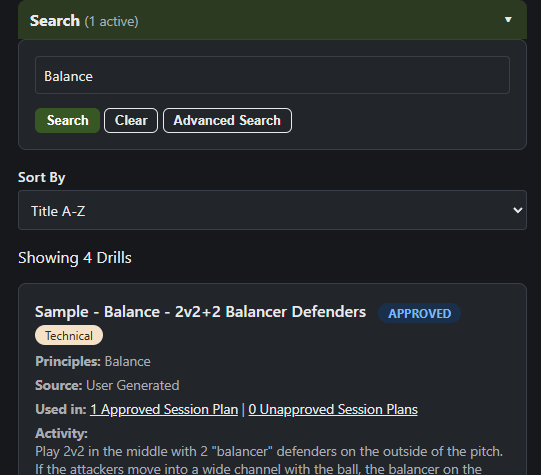
Search your entire library by keyword, or dig into a detailed filter panel by category, principle of play, tags, status, and squad size - to zero in on exactly the drill you need, no more scrolling through folders.
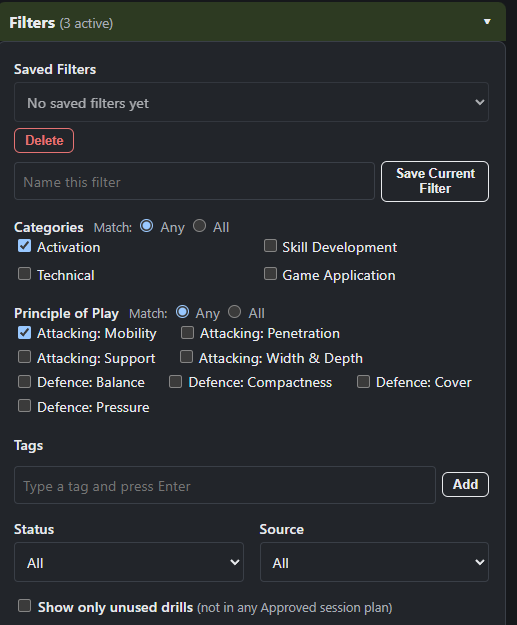
Match any or all categories and principles at once, filter by tags, status, or source, and drill straight down to just the drills that matter for tonight's session.
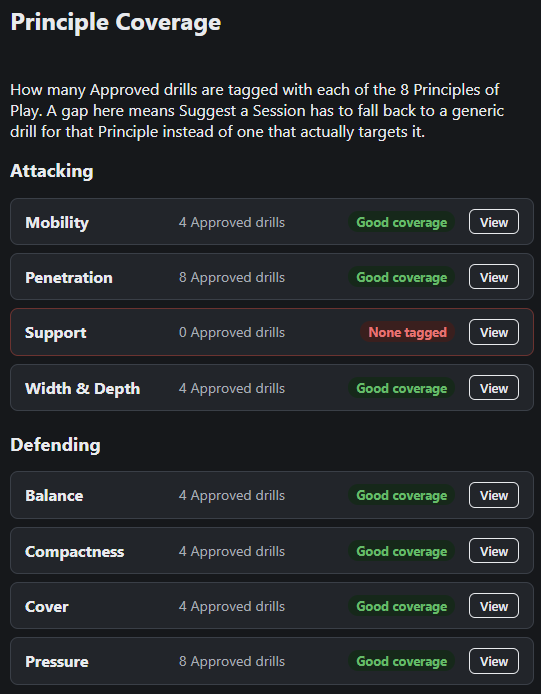
See at a glance how many approved drills you have for each of the 8 principles of play, so you know exactly where your library is strong - and where it needs more drills.
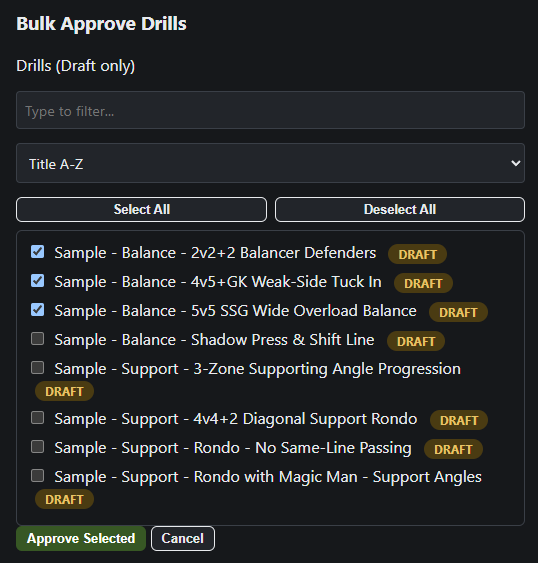
Approve, unapprove, or delete multiple drills or session plans in one go, with safe defaults - anything missing a required field or still in use elsewhere is skipped, not force-changed.
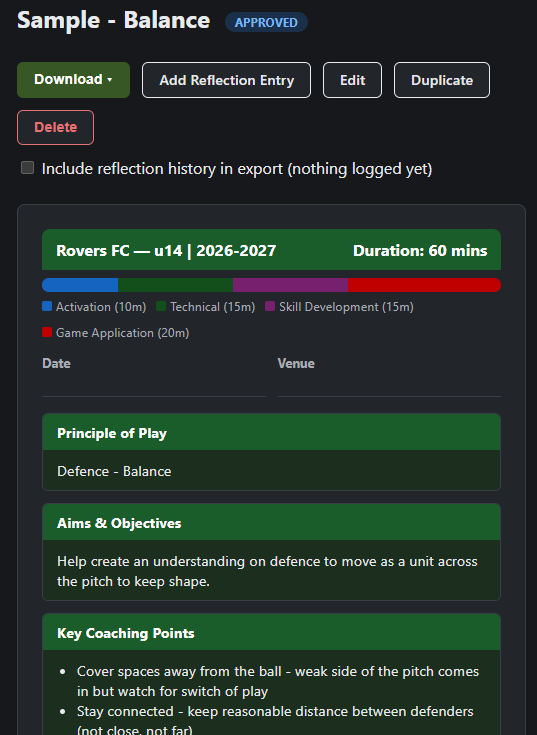
Every session follows a structured four-part framework - Activation, Technical, Skill Development, and Game Application - with its own principle, aims, and key coaching points, so training always has a clear purpose.
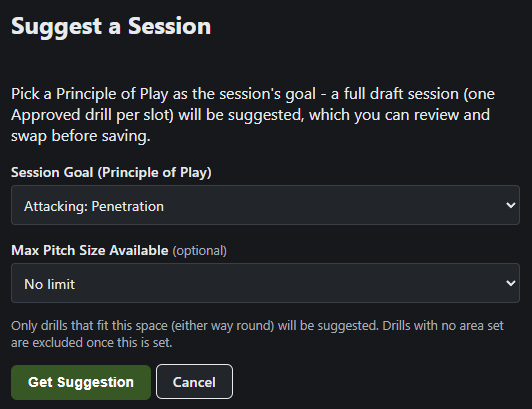
Pick a principle of play and a pitch size, and get a full draft session - one approved drill per slot - ready to review and swap before you save it.
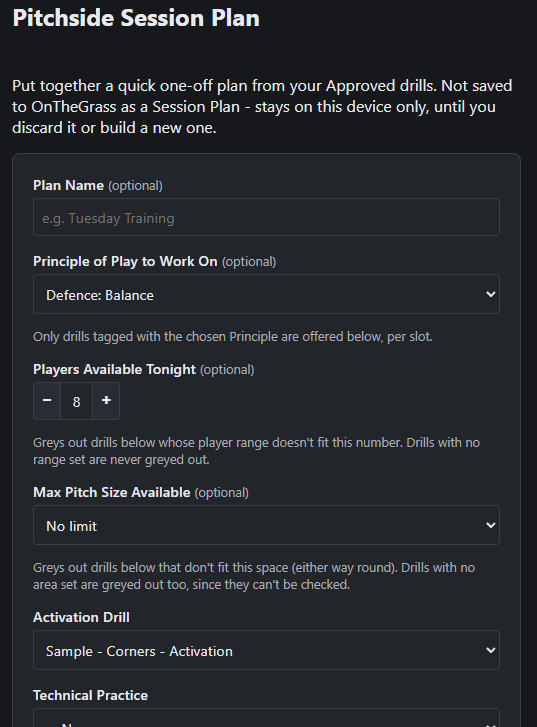
Put together a quick one-off plan from your approved drills, filtered by tonight's player count and pitch space - nothing saved permanently unless you want it to be.
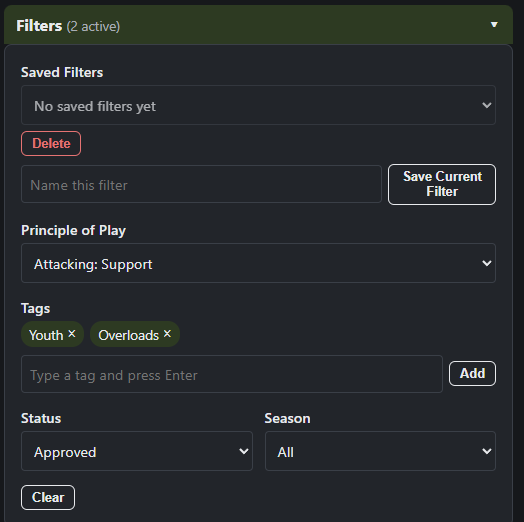
Filter your session plans by principle of play, tag, status, or season, and search across every field to pull up exactly the session you're after.
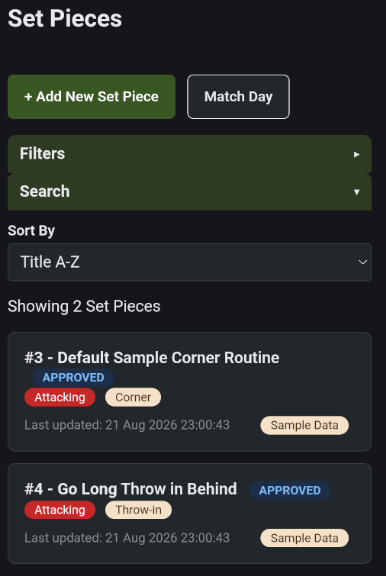
Corners, free kicks, throw-ins, kick-offs, and goal kicks live in their own section, separate from your Drills - each routine can hold unlimited variations, so every version of a set piece you run is in one place.
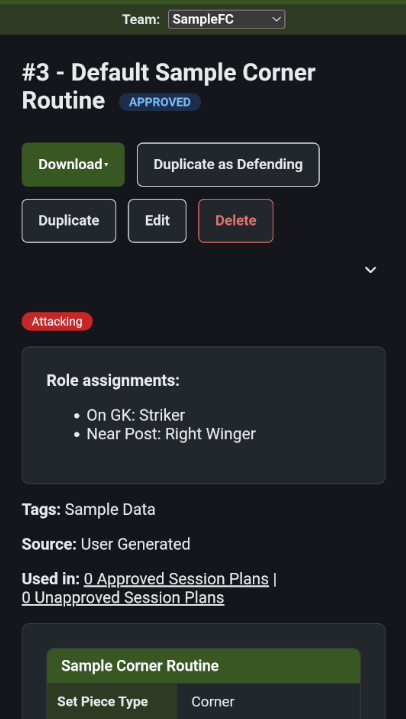
Assign specific roles within a routine, optionally linked to a real player from your roster - so everyone knows their job before it happens, not just on the day.
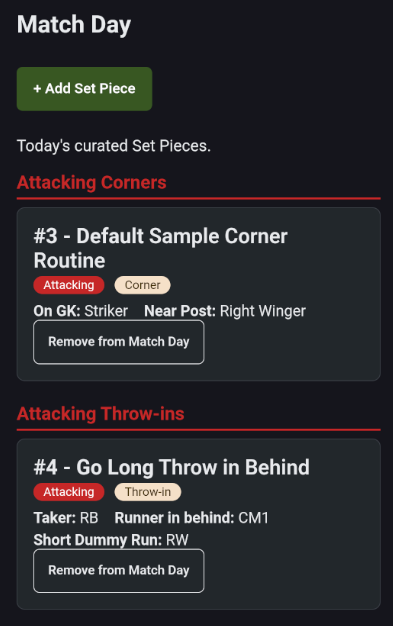
Pull up every routine grouped by side and type in one tap on matchday - a quick reference built for the touchline, not another screen to dig through mid-game.
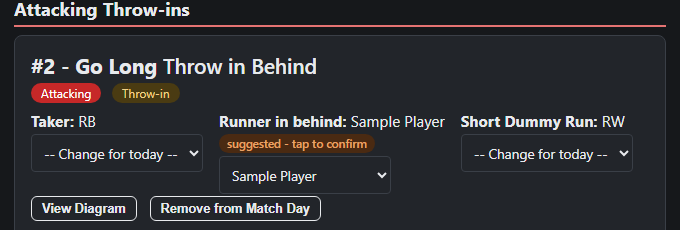
Add who's playing today and OnTheGrass suggests who covers each role in your set piece routines - tap to confirm, or pick someone else. Anyone not in today's squad is flagged, so nothing gets missed on the day.
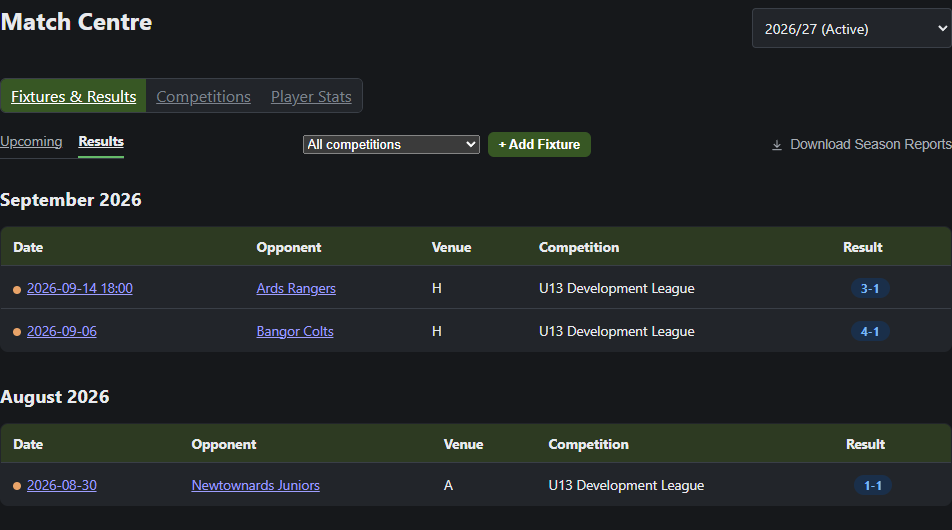
Log your competitions - leagues and cups - then your fixtures and results as the season goes on. Import a whole opponent list and fixture calendar from a spreadsheet in one go, and Home always shows your next game at a glance.
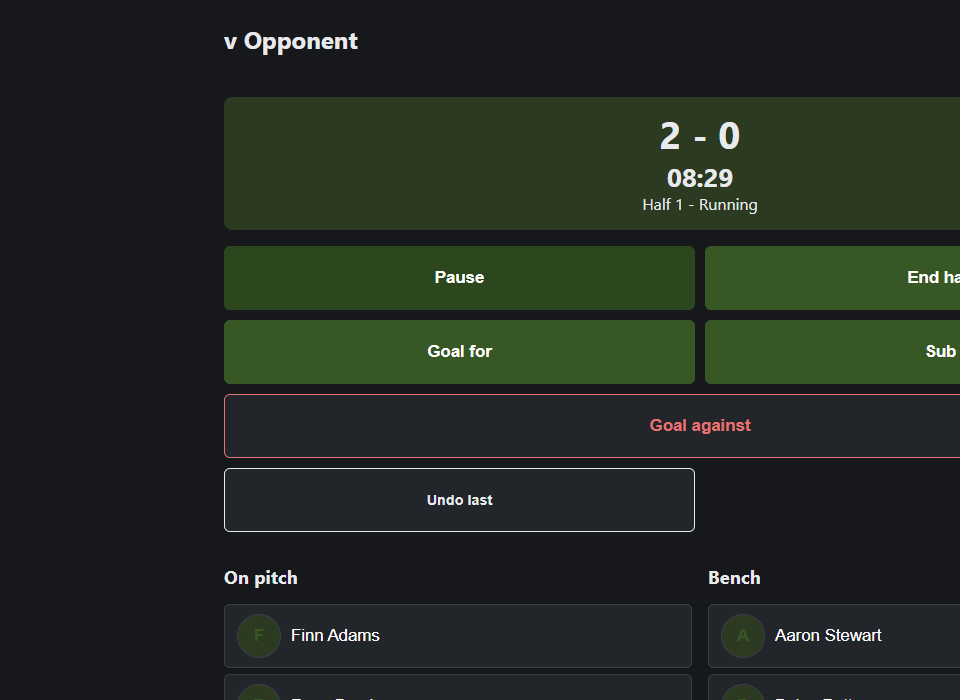
Start the match and track it as it happens - substitutions, goals, and each half, finishing at full-time. Playing time per half is worked out automatically from your substitutions, no stopwatch required, with a manual override if you ever need to correct it.
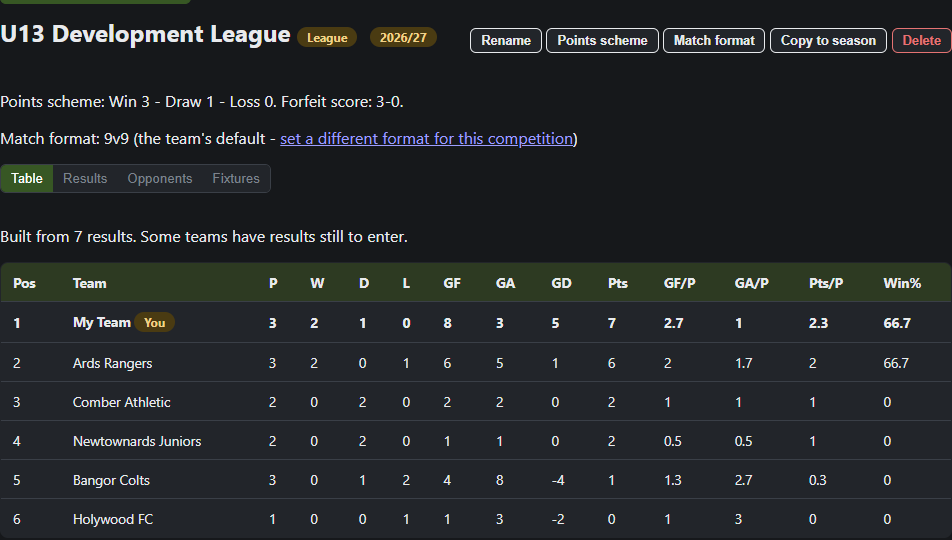
Every result you enter - yours and other teams' - builds a complete, sortable league table automatically, so you always know exactly where your season stands.
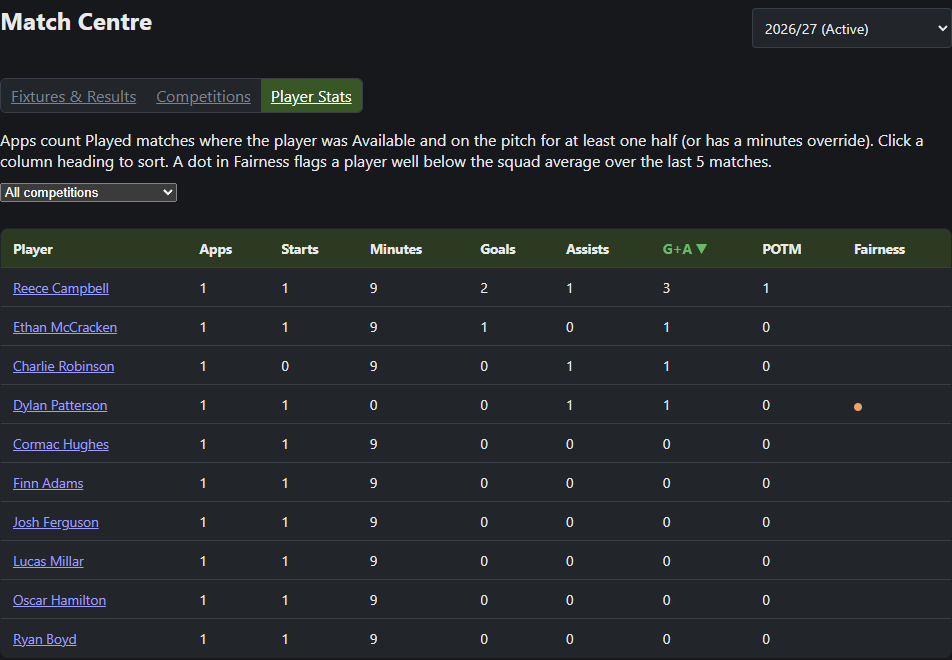
Every goal, assist, and Player of the Match is recorded as you go, rolled up into a season-wide Player Stats table with a fairness warning if one player's minutes start falling behind their squad-mates. Generate a match report, or a whole season's worth as one download, whenever you need one.
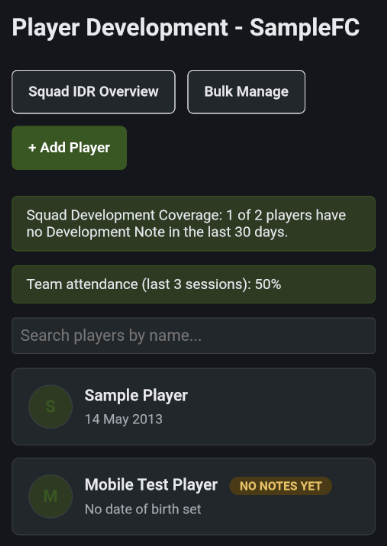
Build a running profile for each player on your squad - photo, date of birth, and a history that grows over the season - with team attendance tracked right alongside it, so patterns show up long before they become a real problem.
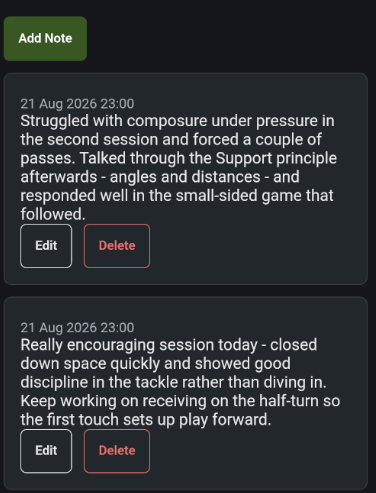
Jot down what you noticed straight after a session, building a genuine running history of a player's progress - not something you're trying to reconstruct from memory months later.
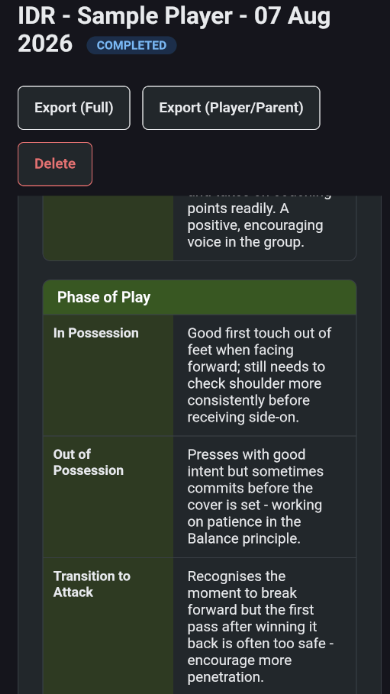
Run a full review against the FA's Four Corner Model - technical/ tactical, physical, psychological, and social - then break it down further by Phase of Play, so ratings and detailed notes sit together in one place, not scattered across separate documents.
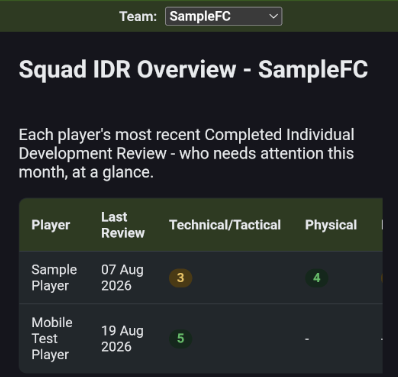
See every player's latest review and rating trend side by side, so you know at a glance who needs extra attention and who's coming on well - across the whole squad, not one player at a time.
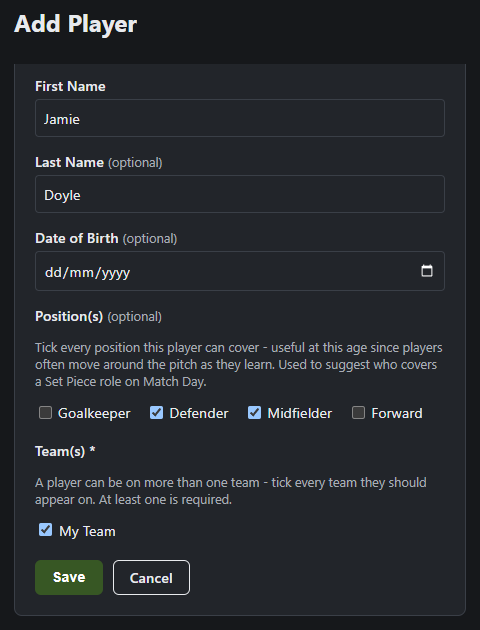
Tick every position a player can play - useful at this age, since players often move around the pitch as they learn. It also feeds OnTheGrass's Match Day role suggestions, so the right player gets suggested for the right role.
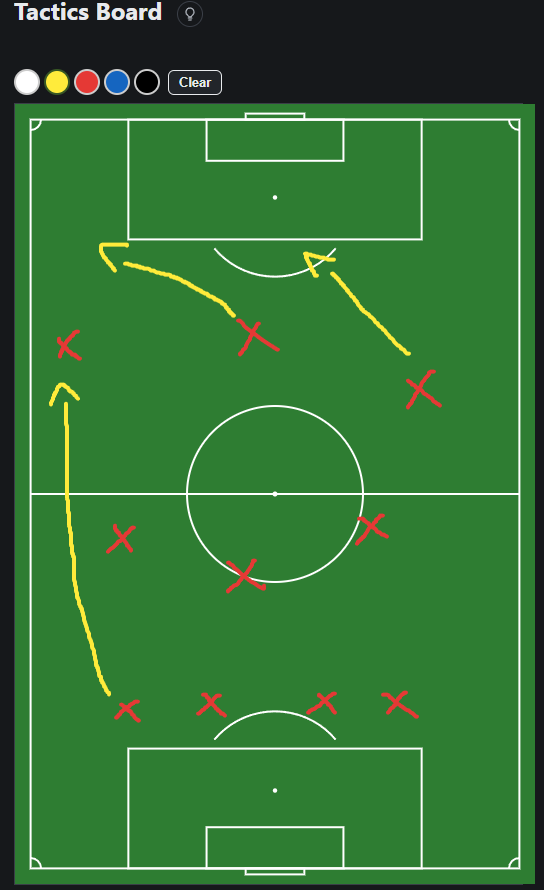
Draw formations, runs, and movement freehand, in colour, right on the pitch. Get pulled away mid-drawing? OnTheGrass will offer to restore it next time you're back on the same page.
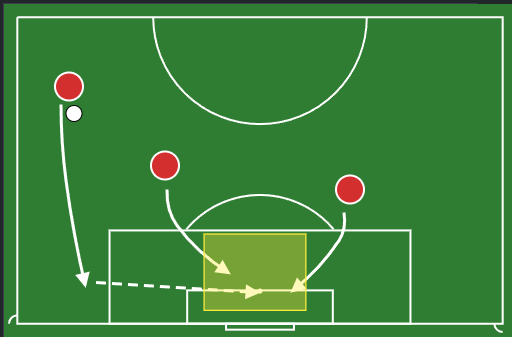
Drop in players, cones, gates, and arrows onto a pitch background, then move or resize them with a tap - ideal for building a clear, reusable diagram rather than a quick freehand scribble.
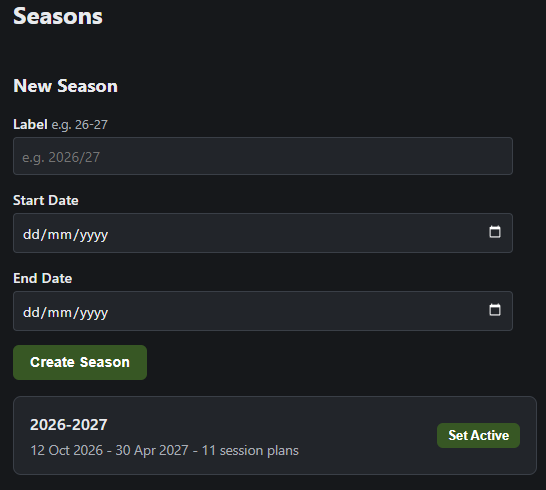
Create a season with a label and start/end dates, and see every season you've run at a glance, including how many session plans belong to each one.
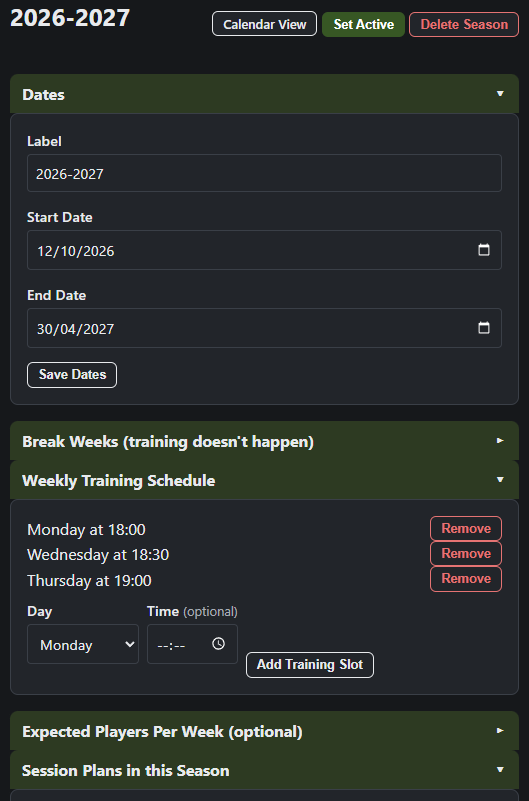
Set break weeks, your weekly training schedule, and expected player numbers, so your season plan reflects how training actually runs.
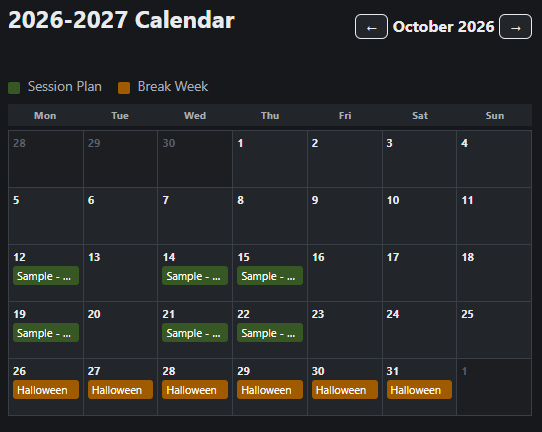
View your whole season as a calendar, with session plans and break weeks colour-coded so you can see your training rhythm at a glance.
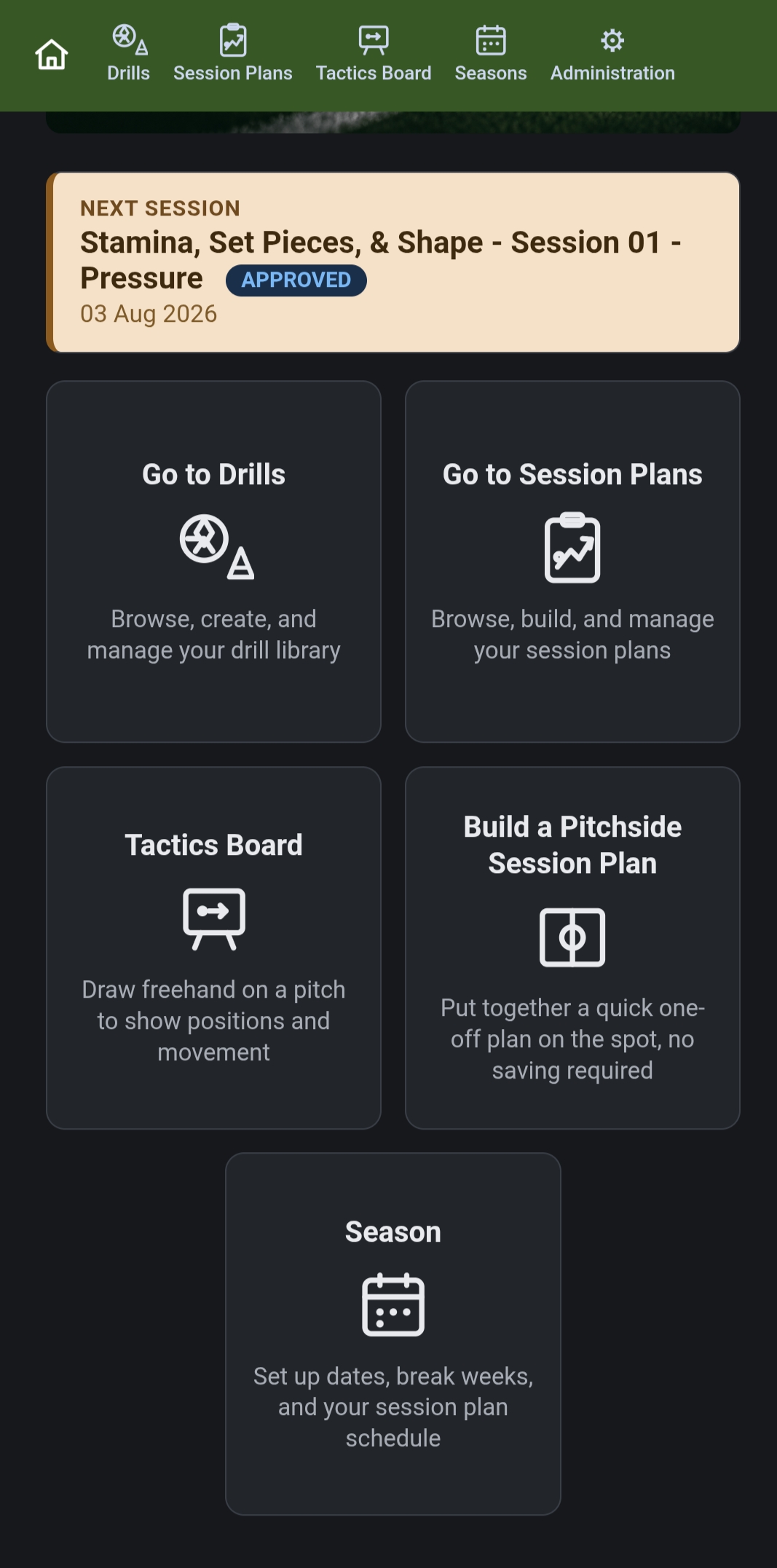
Jump straight to your next session, browse drills, or build a plan pitch-side, right from your phone. It's a one-time purchase with no ongoing subscription fees, and your data stays on your own device by default - no cloud account required.
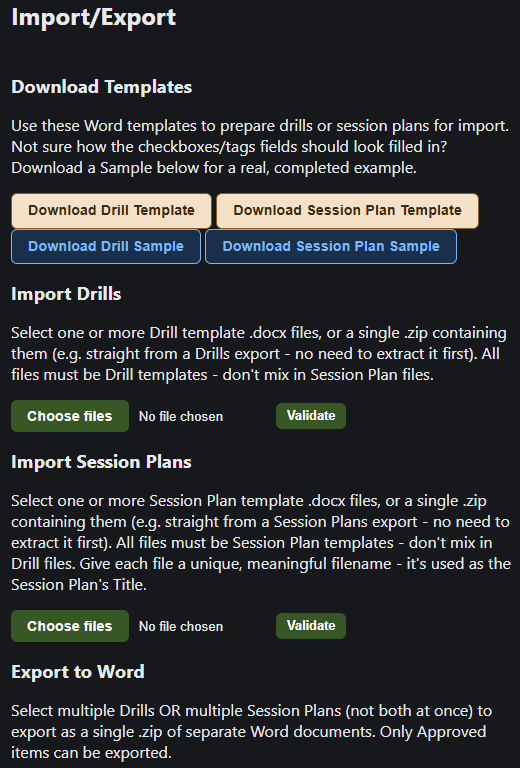
Export your approved drills and session plans as Word documents, or import them from a template - so your library travels with you between devices, and never depends on one single install.
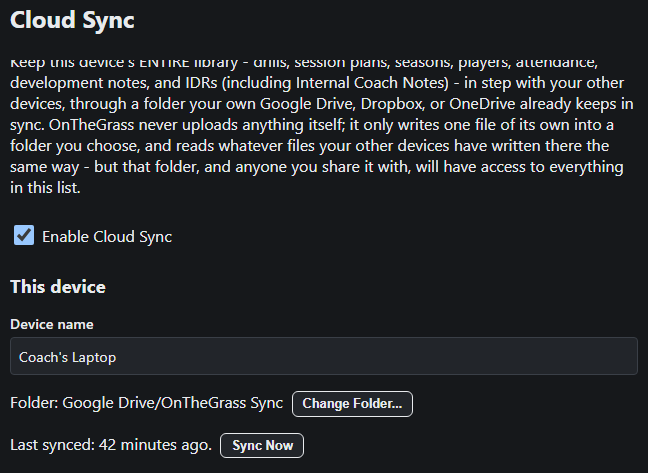
A guided two-step setup turns on Cloud Sync through a folder your own Google Drive, Dropbox, or OneDrive already syncs - OnTheGrass never hosts or sees your data itself. It checks in the background with no button-press needed, and a plain-language status line on Home always tells you whether it's safe to switch devices. Entirely optional, and off by default.
Built around the UEFA Principles of Play, and designed around how real training sessions actually run - not generic sports-team software.